What's New in Scratch 2.0?
Welcome to a new generation of Scratch! With Scratch 2.0, you can create new types of projects, work together in new ways, and learn new things in the process.
Scratch 2.0 allows you to create, edit, and view projects directly in your web browser. (You no longer have to download or upload projects or install any software.)
Here are some of the new features in Scratch 2.0.
Project Editor
- Click Create to make a new project.

- Your project will automatically save as you work on it (if you're logged in).
- When you create a project, you are the only one who can see it. After you share it, anyone can see and remix it.
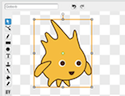
- The new paint editor includes vector graphics so that images can scale to different sizes without getting jagged.
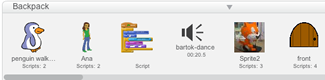
- Your Backpack lets you copy and move sprites, costumes, backdrops, and scripts from any project to another. If you're logged in, you can open your Backpack inside any project (it's at the bottom of the screen).
- You can use the webcam on your computer to interact with projects by moving your hands or body.

- You can now make your own programming blocks.
- Use clone blocks in your scripts to make copies of sprites.

- Store numbers in cloud variables to create surveys and other projects.

- Find out more about the new Scratch blocks.
- You can see and manage all your projects in My Stuff
 .
.
Community Features
- On the home page, you can see what others have shared recently and scroll to see many more projects.

- When viewing a project, click
 to see how it works and experiment with the code.
 - Inside any project, click
 to save your own version and make changes. After you share it, the project page will highlight the original creators and links to their projects.
 - Discover interesting projects by clicking on the Related Projects bar at the bottom of any project page.
- Click your username or icon to go to your Profile page, where you can feature one of your projects and tell others what you're working on.
- People can post comments on your Profile page and
 your Scratch account to see updates.
 - Galleries are now called Studios, and can be curated by you and others you invite.
- The Search features lets you find and preview projects more easily.
Planned for Summer 2013
- Download an off-line version of the Scratch project editor to use without an Internet connection
- Connect to external devices with new Scratch extensions (including LEGO WeDo and the ScratchBoard)
Sent from my iPad(Air)
